
Watch Star Wars in ASCII on Windows, macOS & Linux (Updated 2025)
Long, long ago, in a galaxy far, far away… the internet was a simpler place. Before 4K streaming and CGI-filled blockbusters, creative geniuses used nothing but plain text to create magic. Today, we’re diving into one of the most legendary relics of that era: a full-length ASCII animation of Star Wars: A New Hope, viewable right from your computer’s command line.
Get your popcorn ready. This is how you tap into the Force of pure, unadulterated geekdom with modern tools.
What is this? You’re about to use a command-line utility to connect to a server that preserves historical internet curiosities. From there, you can launch the famous ASCII art version of Star Wars that has been celebrated by geeks for over two decades!
How to Watch Star Wars in Your Terminal (June 2025 Update)
The process is slightly different depending on your operating system. We’ll cover the most reliable method for each platform. Find your OS below for the best method.
On macOS & Linux (Direct Method)
For Unix-based systems like macOS and virtually all Linux distributions, the most direct way is using the nc (netcat) utility. It’s pre-installed and ready to go.
- Open your Terminal application. (On macOS, find it in
Applications > Utilities. On Linux, you know where it is!). - Type the following command and press Enter. The
23at the end specifies the Telnet port number.
# In your Terminal
nc towel.blinkenlights.nl 23
On Windows 10 & 11 (Telehack Method)
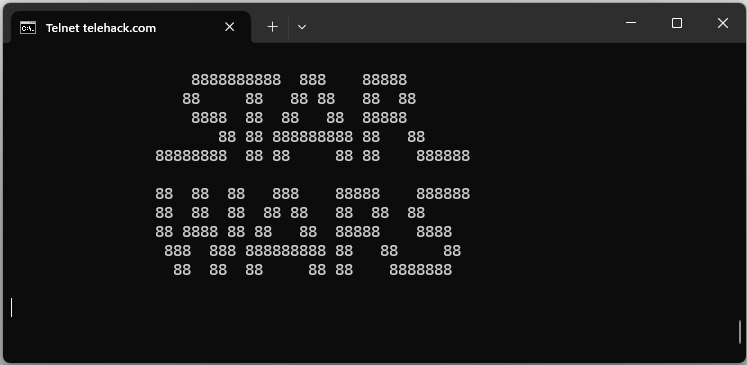
For Windows users, the most interesting and reliable method is to connect to Telehack, a fantastic simulation of the old ARPANET. To do this, you first need to enable the built-in Telnet client.
- Press the Windows Key, type
Turn Windows features on or off, and press Enter. - Scroll down the list until you find “Telnet Client”. Check the box and click OK.
- Once installed, open your Command Prompt or Windows Terminal.
- First, connect to Telehack by typing the following command and pressing Enter:
# In Command Prompt or Terminal
telnet telehack.com
- You are now connected to the Telehack system! From its command line, simply type
starwarsand press Enter to begin the show.
# Once connected to Telehack
starwars
The Tech Behind the Magic
You might be wondering what’s actually happening here. It’s a beautiful combination of old-school protocols and timeless art, accessed through different historical lenses.
- Telehack: As used in our Windows guide, Telehack is a “living museum” of the internet. It’s a fully functional simulation of a 1980s command-line system, preserving historical files and programs like the Star Wars animation.
- Netcat (or
nc): Often called the “Swiss-army knife for networking,” this tool (used in our macOS/Linux guide) simply opens a direct connection to a server on a specific port to stream data. - Telnet: This is the underlying protocol the services use. It provides a simple, text-based communication channel, perfect for the retro-computing experiences at Telehack and Blinkenlights.
- ASCII Art: This is the graphic design technique that uses text characters to create images. It remains a beloved digital art form and a symbol of early computing creativity.
May the Force Be With Your Terminal
Rediscovering gems like the ASCII Star Wars animation is a fantastic reminder of the internet’s creative roots. Whether you’re connecting directly or taking a detour through a historical simulation like Telehack, you’re participating in a tradition that has delighted tech fans for decades.
So go ahead, run the command, and share this piece of digital history with a friend. It’s the perfect way to spend a few minutes and reconnect with a simpler, more elegant age of the web.
What’s your favorite piece of internet nostalgia? Let us know in the comments below!