
Mastering Cisco VTP VLAN Pruning
Introduction to VLAN Pruning
In a large-scale Cisco Enterprise environment, broadcast traffic can become a silent performance killer. By default, a trunk link carries traffic for all VLANs across the network, even if a downstream switch has no ports assigned to a specific VLAN. This leads to unnecessary bandwidth consumption and increased CPU cycles on switches.
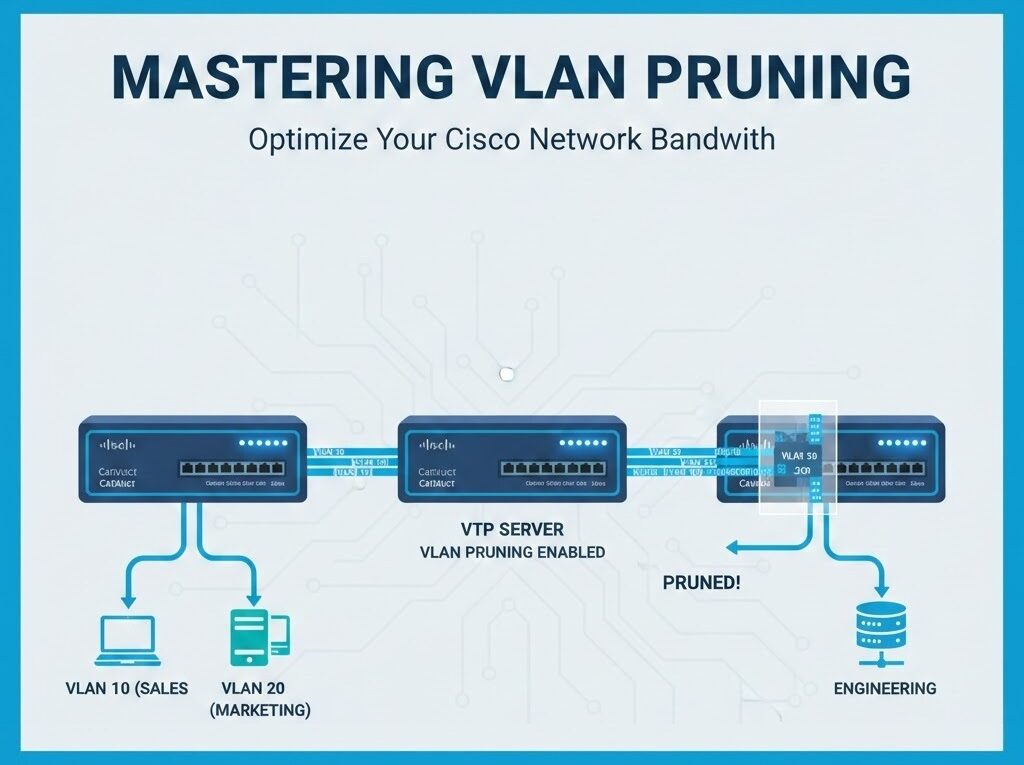
VLAN Pruning is a bandwidth-optimization technique that restricts flooded traffic (Broadcast, Unknown Unicast, and Multicast) from being sent over trunk links to switches that do not require that specific VLAN information.
Enterprise Use Cases & Examples
1. Multi-Floor Campus Deployment
In a multi-story building, you might have a Guest VLAN (VLAN 100) available globally, but users are only currently connected on the 1st and 5th floors. Without pruning, every broadcast on VLAN 100 travels to the 2nd, 3rd, and 4th-floor switches, wasting uplink capacity.
2. Security Segmentation
While primarily a performance tool, pruning also reduces the attack surface. By ensuring VLAN traffic only exists where it is functionally necessary, you limit the scope of potential MAC flooding or ARP spoofing attacks within a specific branch of the network topology.
Step-by-Step Configuration Guide
There are two primary ways to implement pruning: VTP Pruning (Dynamic) and Manual Pruning (Static).
Method A: Dynamic VTP Pruning
VTP Pruning is the most efficient way to manage large networks. Once enabled on the VTP Server, it propagates to all switches in the domain.
! Enable VTP Pruning on the VTP Server
Switch# configure terminal
Switch(config)# vtp pruning
Method B: Manual Trunk Pruning
If you are not using VTP or prefer granular control, you can manually “prune” (allow/disallow) VLANs on specific trunk interfaces.
! Restricting allowed VLANs on a Trunk Interface
Switch# configure terminal
Switch(config)# interface GigabitEthernet0/1
Switch(config-if)# switchport trunk allowed vlan 10,20,30
! This command ensures ONLY VLANs 10, 20, and 30 can cross this link.
add keyword if you are modifying an existing list to avoid accidentally dropping all other VLANs:switchport trunk allowed vlan add 40Best Practices & Troubleshooting
Pruning Best Practices
- VLAN 1 Caution: Cisco recommends not pruning VLAN 1 if it is being used for management protocols (CDP, VTP, PAgP).
- Pruning-Eligible List: By default, VLANs 2 through 1001 are pruning-eligible. Use the
switchport trunk pruning vlancommand to modify this list. - Consistency: In a multi-vendor environment, stick to Manual Pruning (Standard 802.1Q) as VTP is Cisco-proprietary.
Troubleshooting Commands
If a specific VLAN is not passing traffic, verify if it has been pruned by the neighbor switch using these verification commands:
! Check VTP status and pruning capability
Switch# show vtp status

! Check which VLANs are actively being pruned on an interface
Switch# show interface trunk
Look for the section “Vlans in spanning tree forwarding state and not pruned” to confirm the operational status of your VLANs across the trunk.
Want to learn more? Visit Raspberry Pi Syslog Server (2025 Setup)